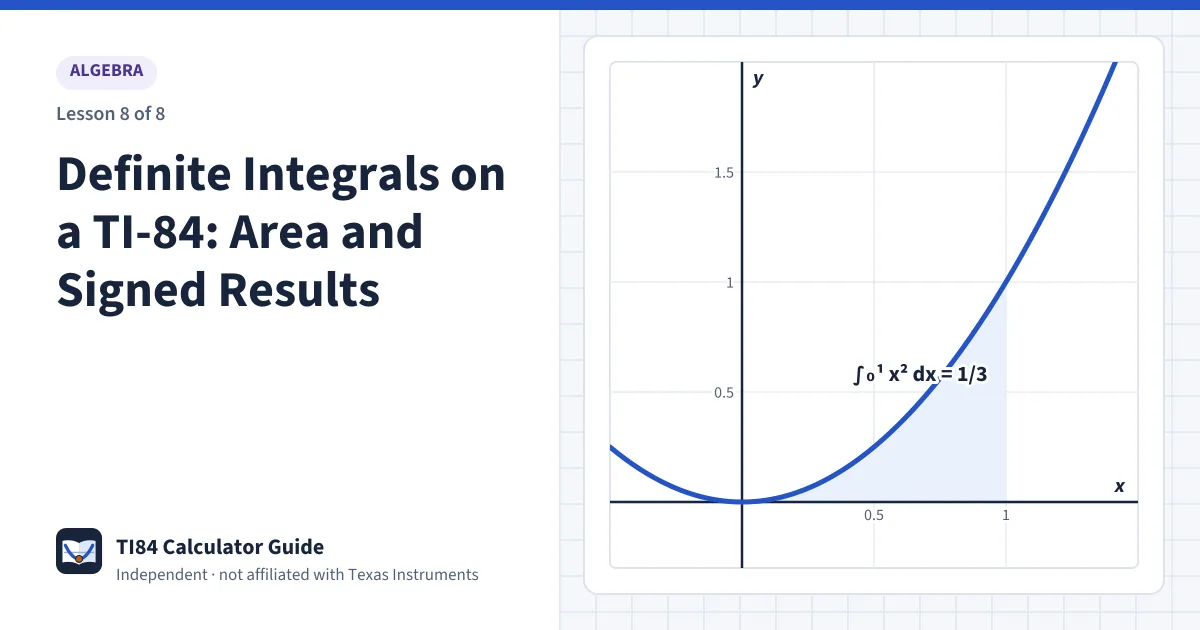
A definite integral adds up a function’s values over an interval. For a function above the x-axis it equals the area under the curve. The TI-84 evaluates definite integrals numerically, either from the home screen or on a graph.
The worked example
∫₀¹ x² dx = [x³/3]₀¹ = 1/3 − 0 = 1/3 ≈ 0.3333333333.
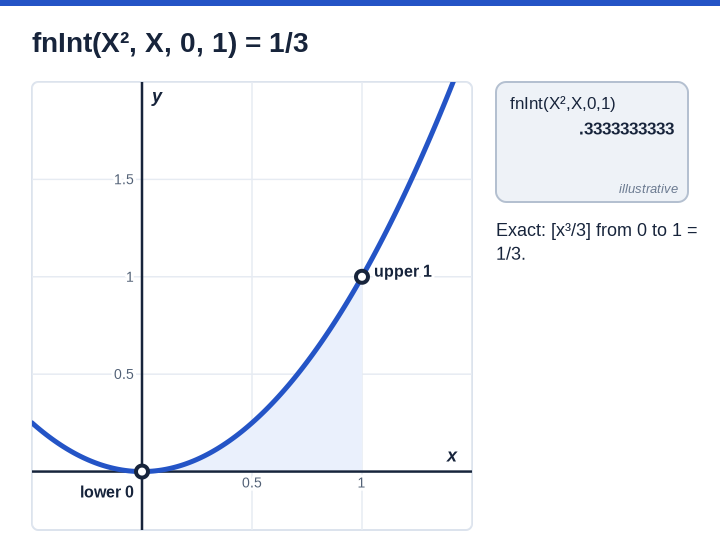
Home screen: fnInt(
- Press MATH 9 to paste fnInt(.
- On the TI-84 Plus (Classic entry) type
fnInt(X²,X,0,1)— expression, variable, lower limit, upper limit — and press ENTER. - Result: .3333333333. Press MATH 1 (►Frac) ENTER to see 1/3.
On the CE in MathPrint mode, MATH 9 pastes an integral template with boxes for the limits and the expression.
Graph screen: CALC ∫f(x)dx
- Graph
Y1=X²in a window that shows x from about −1 to 2. - Press 2nd TRACE (CALC) and choose 7:∫f(x)dx.
- Lower Limit? Type 0 ENTER.
- Upper Limit? Type 1 ENTER.
- The region is shaded and ∫f(x)dx=.3333333333 appears.
The shading stays until the graph is redrawn; any change in Y= or WINDOW clears it.
Signed integral versus geometric area
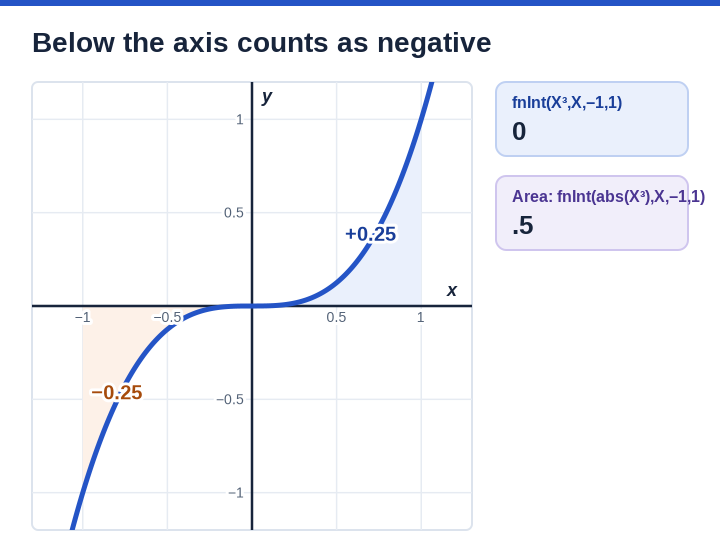
An integral counts area below the x-axis as negative:
fnInt(X³,X,−1,1)returns 0, because the two halves cancel.- The geometric area between the curve and the axis is 0.25 + 0.25 = 0.5. Get it with
fnInt(abs(X³),X,−1,1), which returns .5.
Read the question carefully: “evaluate the integral” wants the signed value; “find the area” usually wants the absolute area.
Accuracy and limits
fnInt uses a numerical method with a tolerance. For smooth functions on a finite interval the result is accurate to the displayed digits. Be careful with:
- Discontinuities inside the interval. ∫₋₁¹ 1/x dx does not exist, but a numerical routine may still return a number or an error. Check the function is continuous on the interval.
- Very wide intervals or sharp spikes. Split the interval into pieces.
- Improper integrals. The TI-84 needs finite limits; use a large number and test whether the value settles, as a check only.
More examples to check
- ∫₁ᵉ (1/x) dx = ln(e) − ln(1) = 1. Enter
fnInt(1/X,X,1,e)→ 1. - ∫₀^π sin(x) dx = 2 in Radian mode. In Degree mode, the same entry gives a different number, because the limits and the sine are read in degrees.
Common mistakes
- Argument order on the Plus. (expression, variable, lower, upper).
- Degree mode for trig integrals. Calculus uses radians.
- Reporting 0 as an area. Split the interval at the zeros or integrate the absolute value.
Practice
Our independent graphing calculator plots y = x² and lets you evaluate it, but it does not compute integrals. Use it to see the region, and the TI-84 (or hand calculation) to evaluate it.
Sources
- TI-84 Plus Graphing Calculator Guidebook (PDF) — Texas Instruments (checked November 23, 2026)
How this guide was made: written by Paul B. Spicer with AI drafting assistance, following our editorial policy. Key sequences and menu names were checked against the Texas Instruments documents listed above; numeric examples are recomputed by automated tests. Diagrams are original illustrations, not screenshots. TI84 Calculator Guide is independently operated and is not affiliated with, sponsored by or endorsed by Texas Instruments. TI-84 Plus, TI-84 Plus CE and related names are used only to describe the calculators our guides cover. Found a mistake? Send a correction.